

VedronERP · Analysis & Reports
Product Analysis
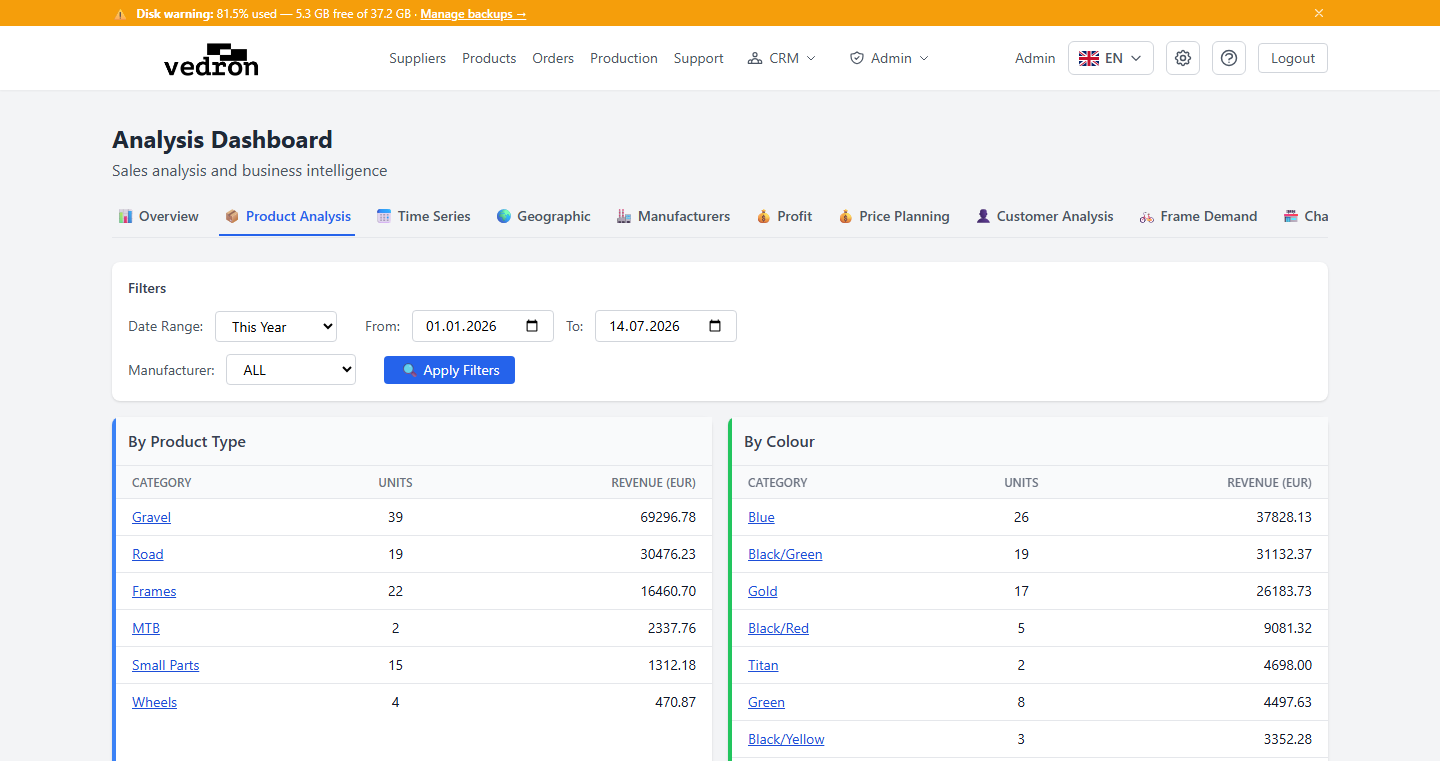
The Product Analysis tab breaks down your sales by product attributes, so you can see which types, colours, components, and sizes are selling best.
Accessing Product Analysis
- Go to the Analysis page and click the "Product Analysis" tab.
- Set a date range and, optionally, filter by manufacturer.
Breakdown Tables
- By Product Type — units and revenue grouped by product category (e.g. frames, wheels, accessories).
- By Colour — units and revenue grouped by product colour.
- By Component — units and revenue grouped by key component (e.g. groupset, brakes).
- By Size — units and revenue grouped by product size.
Click any row to drill down into the individual orders behind that number.
Tip: Use this tab to spot which variants of a product are selling fastest — useful input when deciding what to restock first.