

VedronERP · Shipping & Carriers
Return Shipments
A return shipment is a label for the customer to send goods back to you. Use the Return tab in the shipment popup.
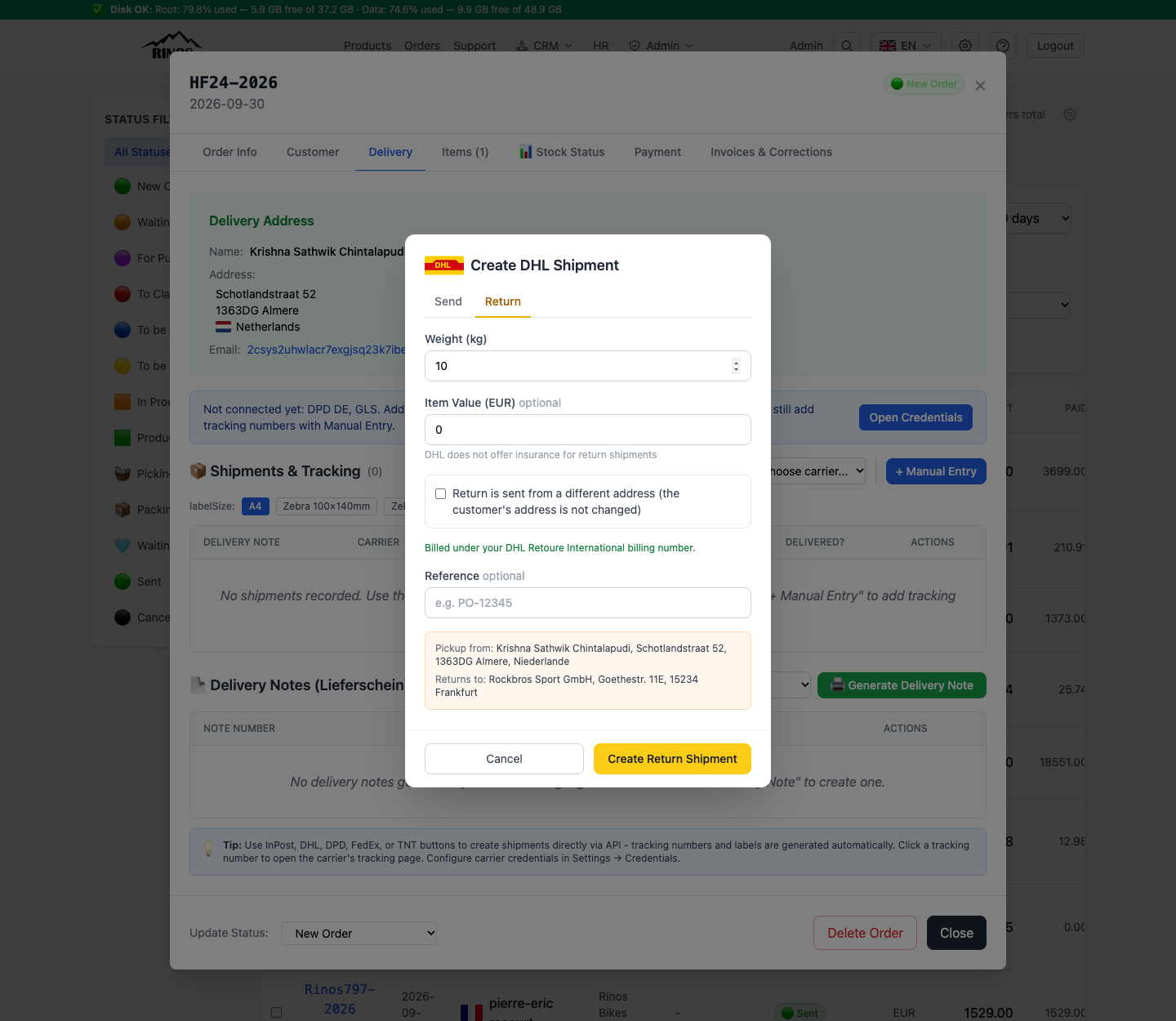
Create a return label
- Open the original order → Delivery tab → choose DHL or DPD under "Create via API".
- Switch to the Return tab.
- Check "Pickup from" (the customer) and "Returns to" (you).
- Click Create Return Shipment and send the label to the customer.
- The shipment appears in the shipments table with a "Return" badge.
- DHL does not insure return shipments, so the insurance field is not shown.
- If the customer returns from another address, tick the alternative-address option on the Return tab.
Warning: DHL needs a return recipient for the destination country. If you see "DHL has no return recipient set up for …", set it up in the DHL business portal under Returns settings first.