

VedronERP · Getting Started
Understanding the Layout
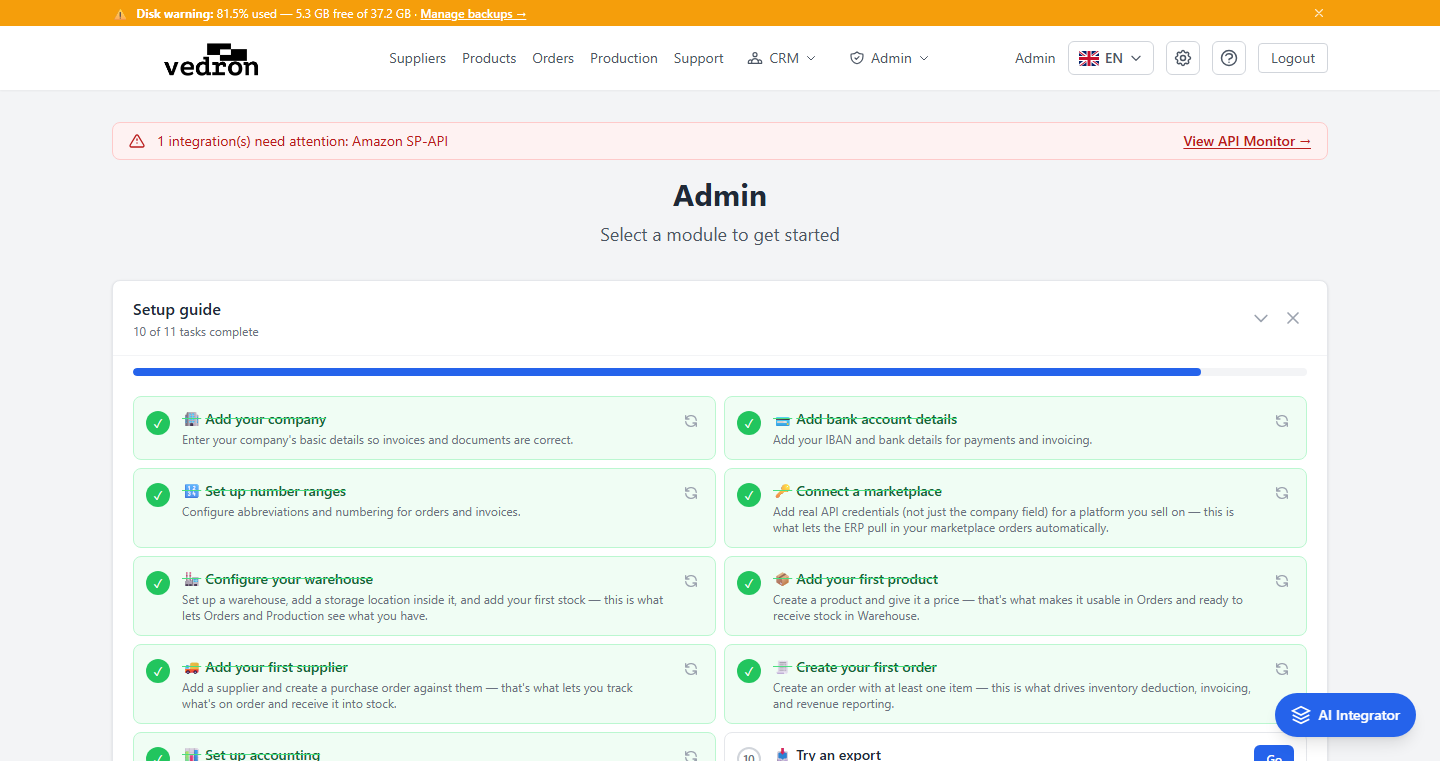
Every page in the ERP shares the same layout: a header bar at the top and a main content area below. Understanding this layout helps you navigate efficiently.
Header Bar
The header contains:
- Logo / Brand — Click to return to the Dashboard from any page.
- Navigation Links — Quick access to Suppliers, Products, Orders, Production, and Support.
- Language Switcher — Change the display language at any time; your choice is remembered for next time.
- User Name — Your display name is shown in the top-right.
- Settings (gear icon) — Opens a dropdown with Accounting, Credentials, Branding, and Translation settings.
- Help (? icon) — Opens this User Guide.
- Logout — Ends your session and returns to the login page.
Main Content Area
Below the header, the main content area displays the current page. It uses a centered container with a maximum width for comfortable reading. The background is light gray with white content cards.
Tip: You can always return to the Dashboard by clicking the logo in the top-left corner.