

VedronERP · Shipping & Carriers
Creating a DHL Shipment
DHL covers Germany, the EU and international parcels. You create the label from the order's Delivery tab.
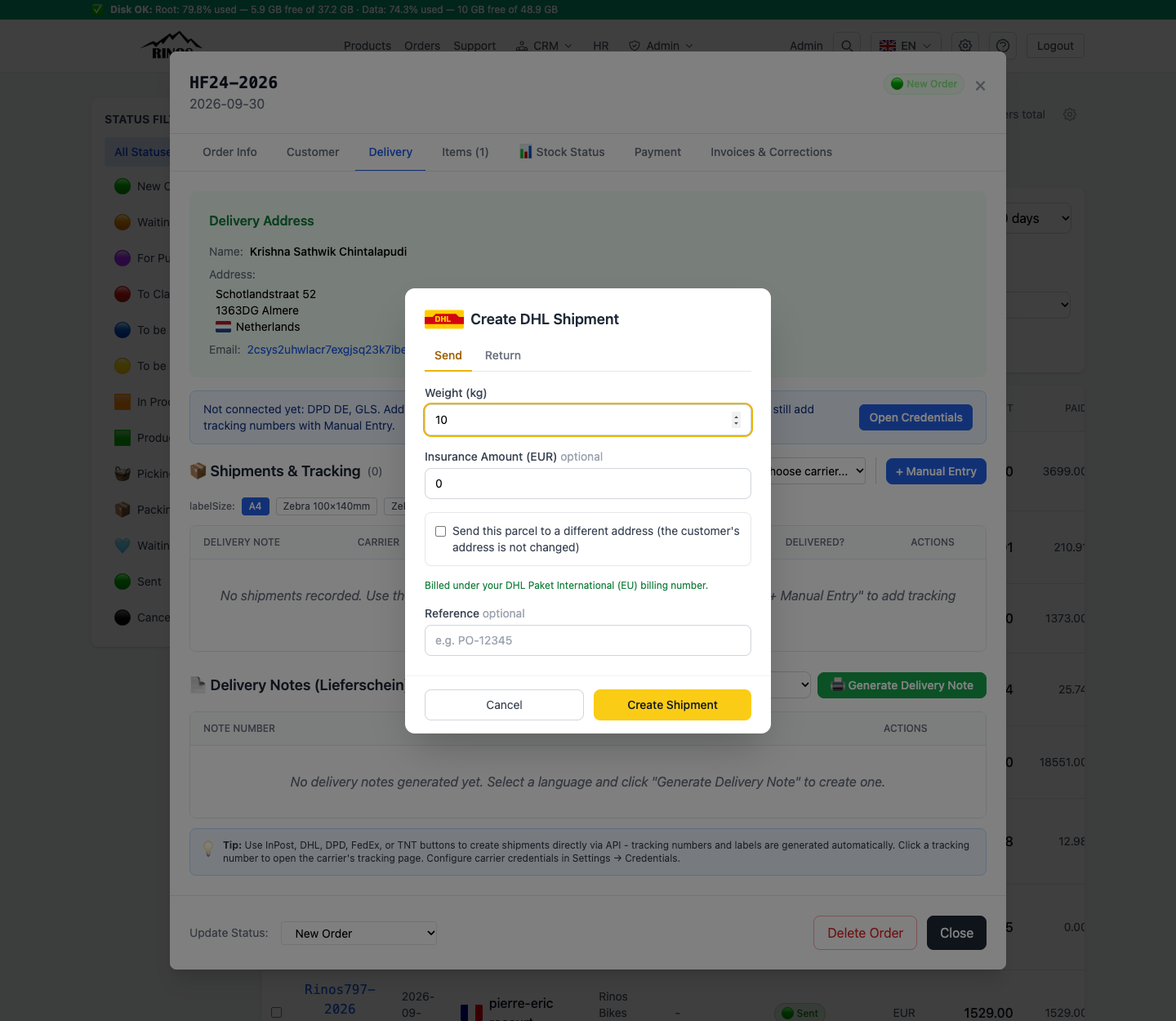
Send a parcel
- Open the order → Delivery tab → under "Create via API" choose DHL.
- Stay on the Send tab.
- Enter the Weight (kg). Add an Insurance Amount (EUR) only if you want the parcel insured.
- Optional: add a Reference (up to 35 characters) — it is printed on the label and helps you find the parcel later.
- Check the green line under the options. It shows which DHL billing number the label is billed under.
- Click Create Shipment. The shipment and its tracking number appear in the shipments table.
Options you may see
- Kleinpaket — cheaper small-parcel rate; liability is reduced to €20.
- Warenpost International — cheaper small-parcel rate for international shipments; no liability coverage.
- Different address — see Alternative address.
- Return tab — see Returns.
Tip: Weight matters: DHL can charge a surcharge when the real weight differs from the declared one.
Warning: If a "DHL login problem" box appears, DHL is not accepting the saved password. Open Credentials → DHL (Germany/EU) and save the current password. See Troubleshooting.