

VedronERP · Invoicing & E-Invoicing
Viewing & Filtering Invoices
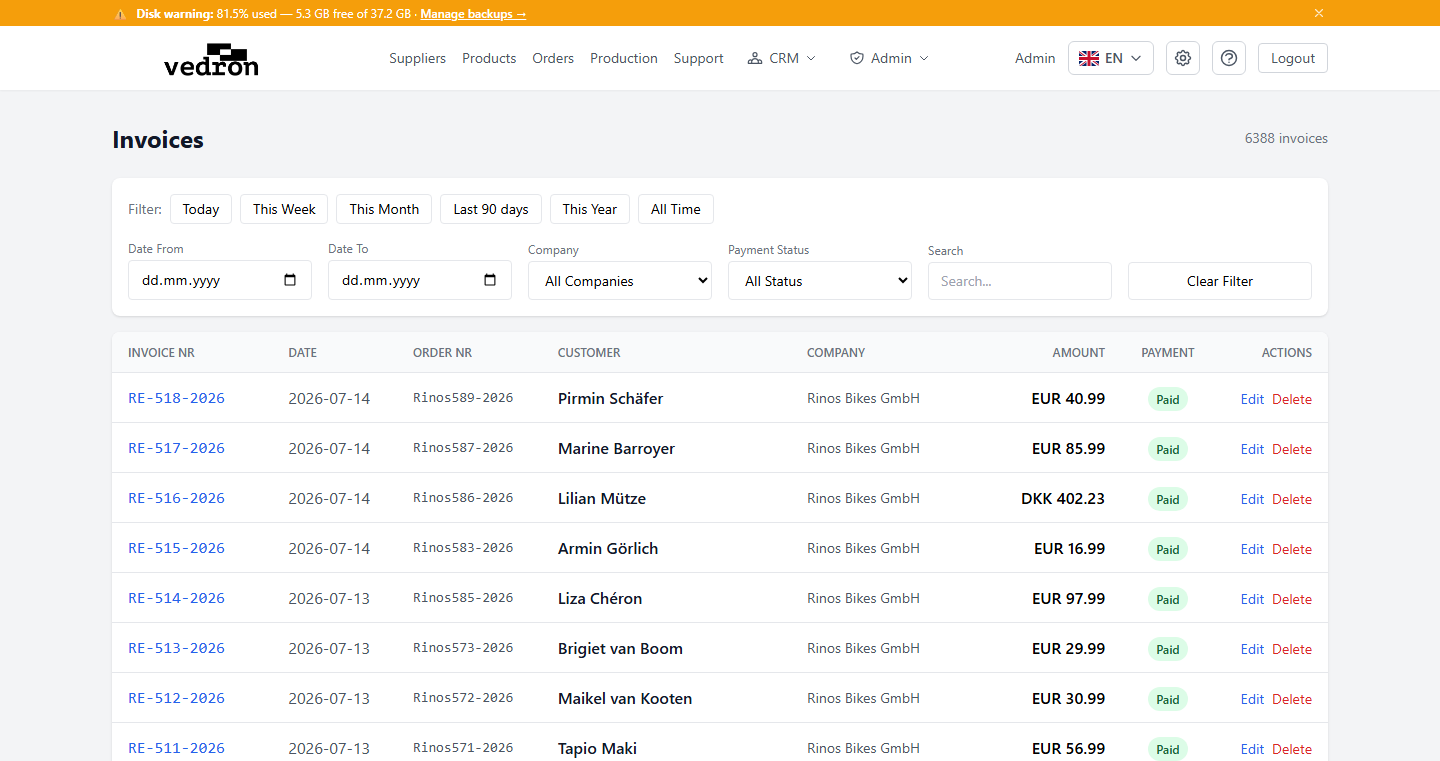
The Invoices page lists all invoices and lets you narrow them down with filters.
Invoice List
The list shows the invoice number, date, order number, customer, company, amount and payment status of each invoice. Open an invoice to see its customer, shipping, company and order details.
Filtering Options
- Search — find invoices by invoice number or customer.
- From / To — limit the list to a range of invoice dates.
- Company — show the invoices of one of your companies.
- Payment status — Paid, Partial, Unpaid or Refund Due.
- KSeF status — for Polish e-invoicing: Confirmed, Pending, Failed or Missing (see 5.7).
Tip: Search runs when you click the Search button or press Enter, not while you type.