

VedronERP · Analysis & Reports
Esta página aún no está disponible en español. Se muestra el original en inglés.
Product Analysis
The Product Analysis tab breaks down your sales by product attributes, so you can see which types, colours, components, and sizes are selling best.
Accessing Product Analysis
- Go to the Analysis page and click the "Product Analysis" tab.
- Set a date range and, optionally, filter by manufacturer.
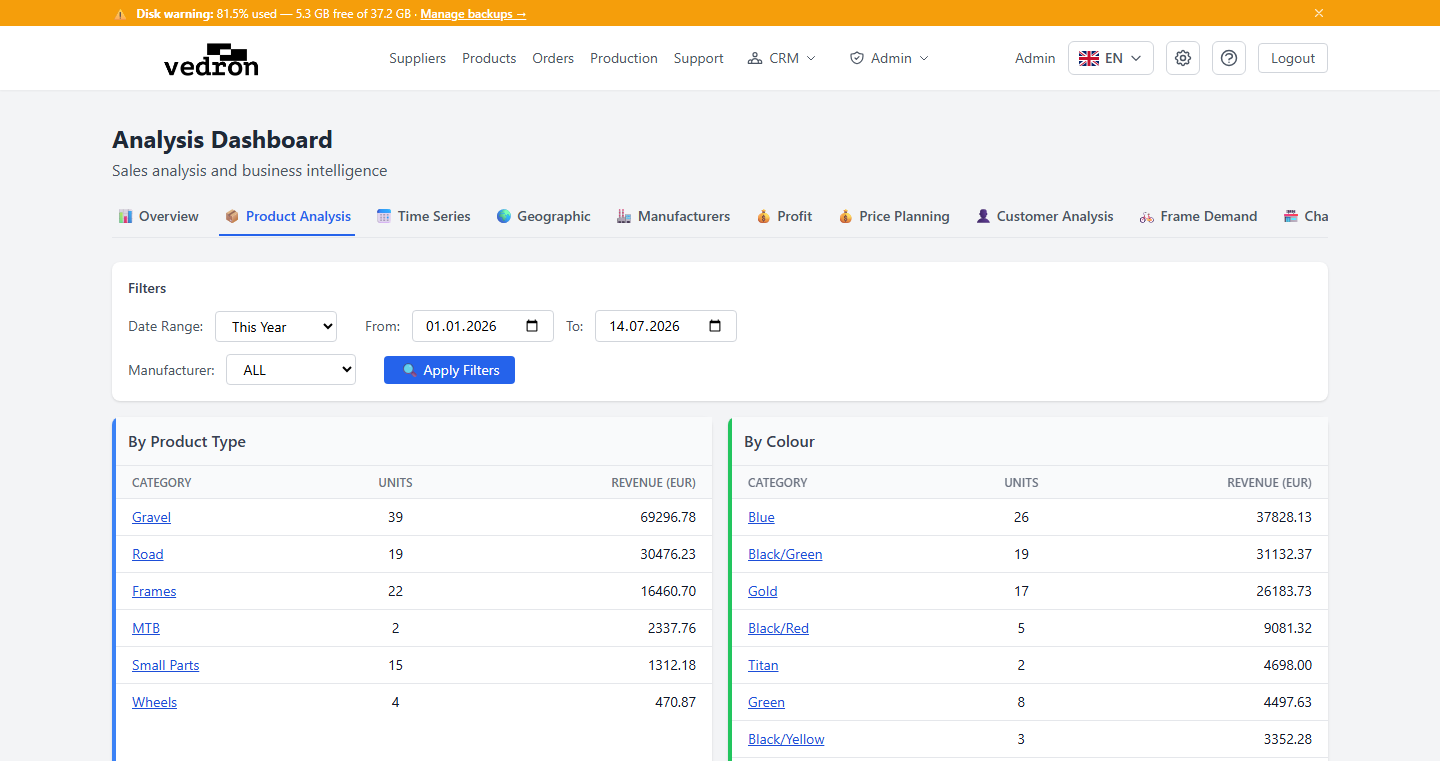
Breakdown Tables
- By Product Type — units and revenue grouped by product category (e.g. frames, wheels, accessories).
- By Colour — units and revenue grouped by product colour.
- By Component — units and revenue grouped by key component (e.g. groupset, brakes).
- By Size — units and revenue grouped by product size.
Click any row to drill down into the individual orders behind that number.
Tip: Use this tab to spot which variants of a product are selling fastest — useful input when deciding what to restock first.