

VedronERP · Shipping & Carriers
Shipping Many Orders at Once
When many orders are ready, create all shipments in one go instead of opening each order.
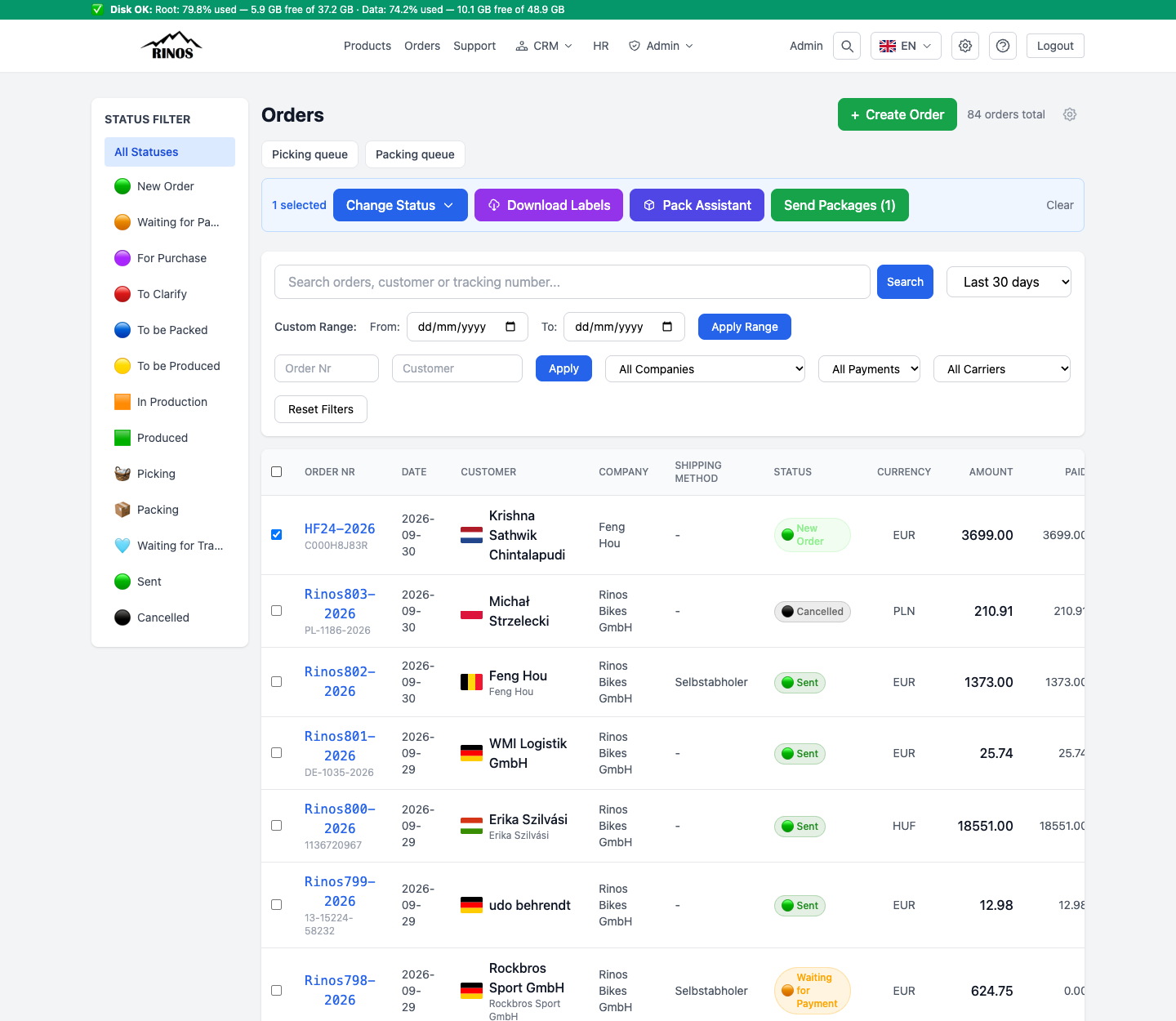
Create shipments for several orders
- On Orders, tick the orders you want to ship. A blue bar with actions appears.
- Click Send Packages.
- Choose the carrier: DHL DE/EU, DPD PL or InPost PL.
- Enter the weight and, where needed, insurance and a reference. These values are used for every selected order.
- Click Send packages. The results list shows which orders succeeded and which had errors.
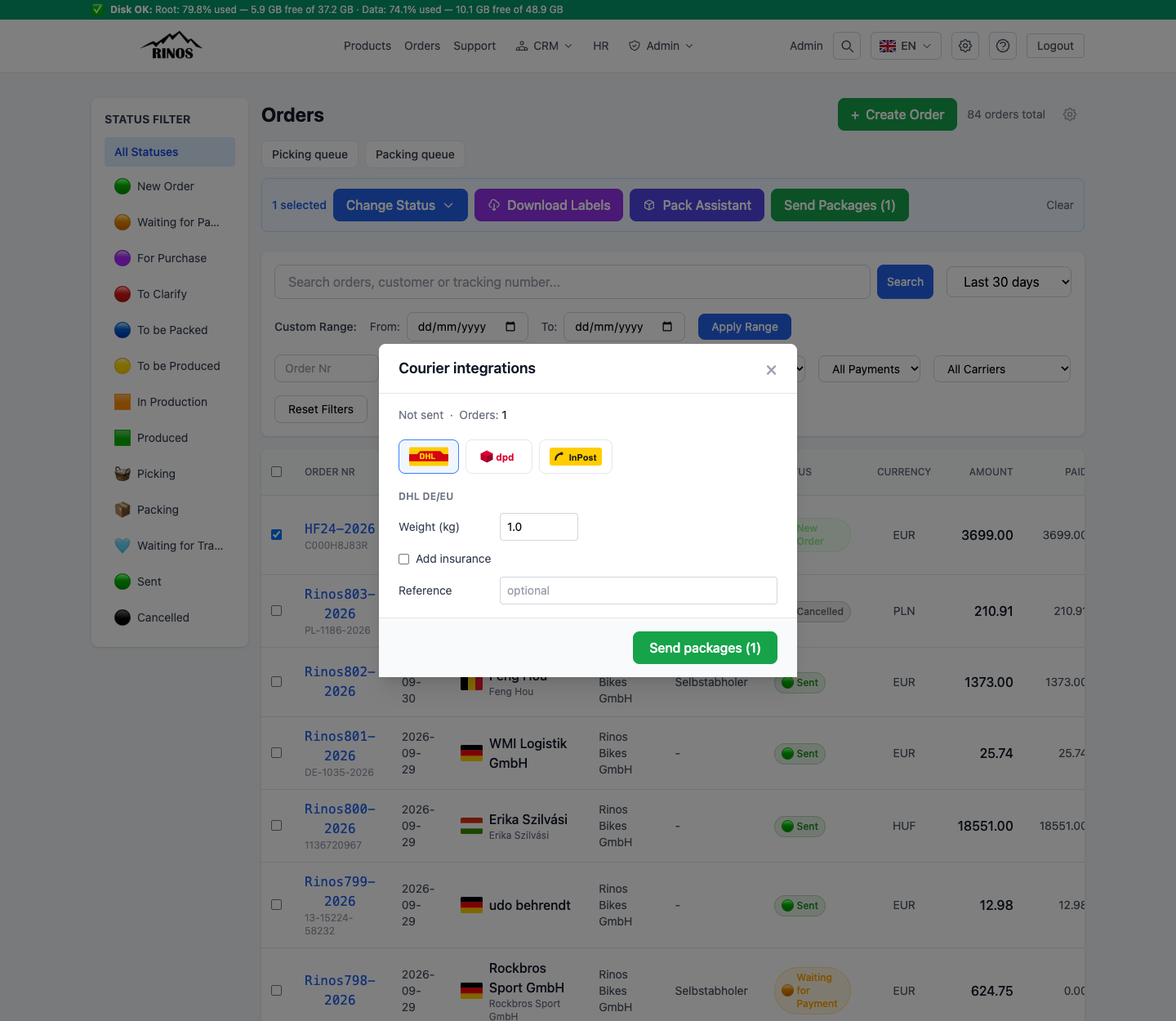
- Cash on delivery is added automatically per order from its own total — you do not enter an amount.
- InPost PL only handles Polish orders; other orders are skipped and listed as errors.
- InPost parcel lockers (Paczkomat) need a point per order. Create those on each order's Delivery tab.
Print many labels
Select the orders and click Download Labels. Labels are grouped per carrier; download them or open them for printing, in A4 or a Zebra format.