

VedronERP · Order Management
Payments & Payment Tracking
Track payments against orders and manage partial payment scenarios.
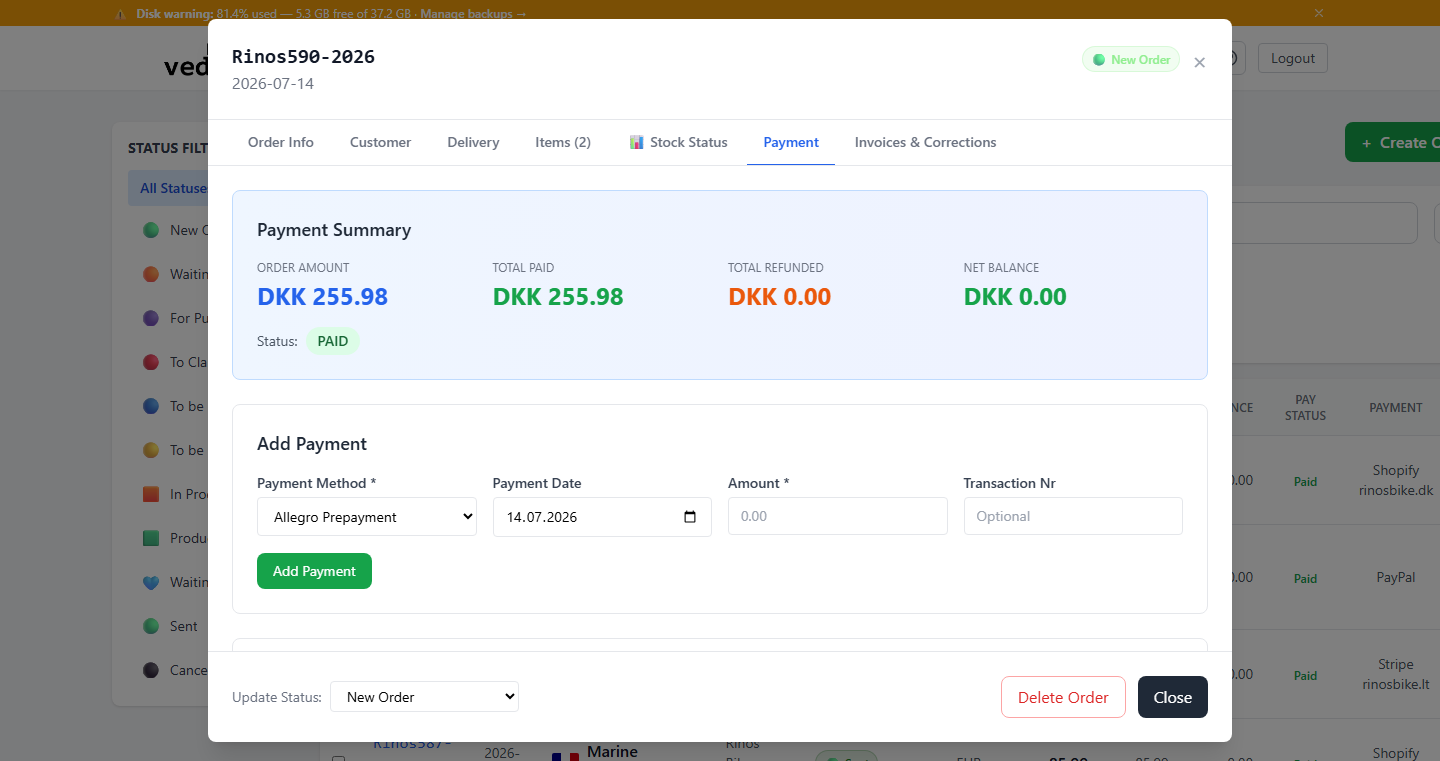
Recording a Payment
- Open the order you want to record a payment for.
- Go to the "Payment" tab.
- Enter the payment amount, date, and payment method (the remaining balance is pre-filled for you).
- Click "Add Payment" to record it.
Partial Payments
The system supports partial payments. You can record multiple payments against a single order until the full amount is covered. The order displays the total paid, remaining balance, and payment status.
Payment Status
- Unpaid — No payments have been recorded.
- Partial — Some but not all of the order total has been paid.
- Paid — The full order amount has been received.
- Refund Due — More has been refunded than was actually paid.
Tip: Payment status is also reflected on invoices generated from orders. Keep payment records up to date for accurate financial reporting.