

VedronERP · Getting Started
Navigating the Dashboard
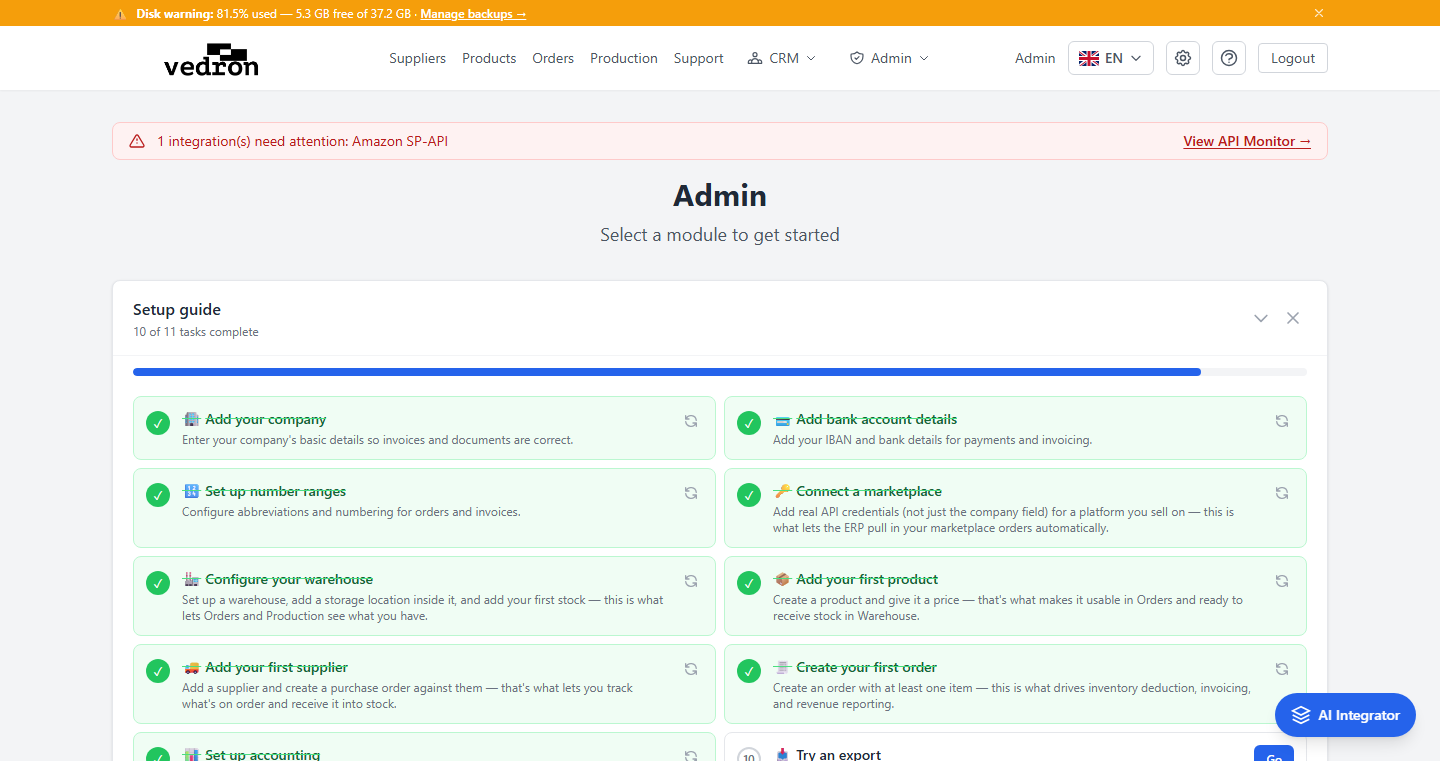
The Dashboard is the home page of the ERP. After logging in, you land here and can access all modules organized into functional categories.
Module Categories
The Dashboard groups modules into the following categories:
- Sales & Customer Management — Customers, Orders, Invoices, Invoice Corrections, Withdrawals
- Product & Inventory — Products, Production
- Master Data — Companies, Shops, Suppliers, Warehouses
- Reports & Analysis — Analysis, Data Import, Social Media
- Marketplace Integrations — Marketplace Orders, Platform Statements, Credentials
- Configuration & Settings — Categories, Payment Methods, Country Codes, Exchange Rates, Order Statuses, Number Ranges, Serial Numbers, Receipts (admin only)
- Help & Documentation — User Guide, Roadmap
Quick Access
Click any module button to navigate directly to that page. Each button shows the module name, a brief description, and a directional arrow. Hover over a module to see it highlighted in blue.
Tip: The header navigation provides quick links to Products, Orders and Support. Administrators also see the CRM and Admin menus and an HR link.
Tip: New accounts see a "Setup guide" checklist at the top of the Dashboard (for example company details, bank account, number ranges, a marketplace, a warehouse and the first product). Tasks are ticked off as you complete them, and the panel can be collapsed or closed.