

VedronERP · Analysis & Reports
Esta página aún no está disponible en español. Se muestra el original en inglés.
Geographic
The Geographic tab shows where your sales are coming from, broken down by country.
Accessing Geographic
- Go to the Analysis page and click the "Geographic" tab.
- Set a date range and, optionally, filter by manufacturer.
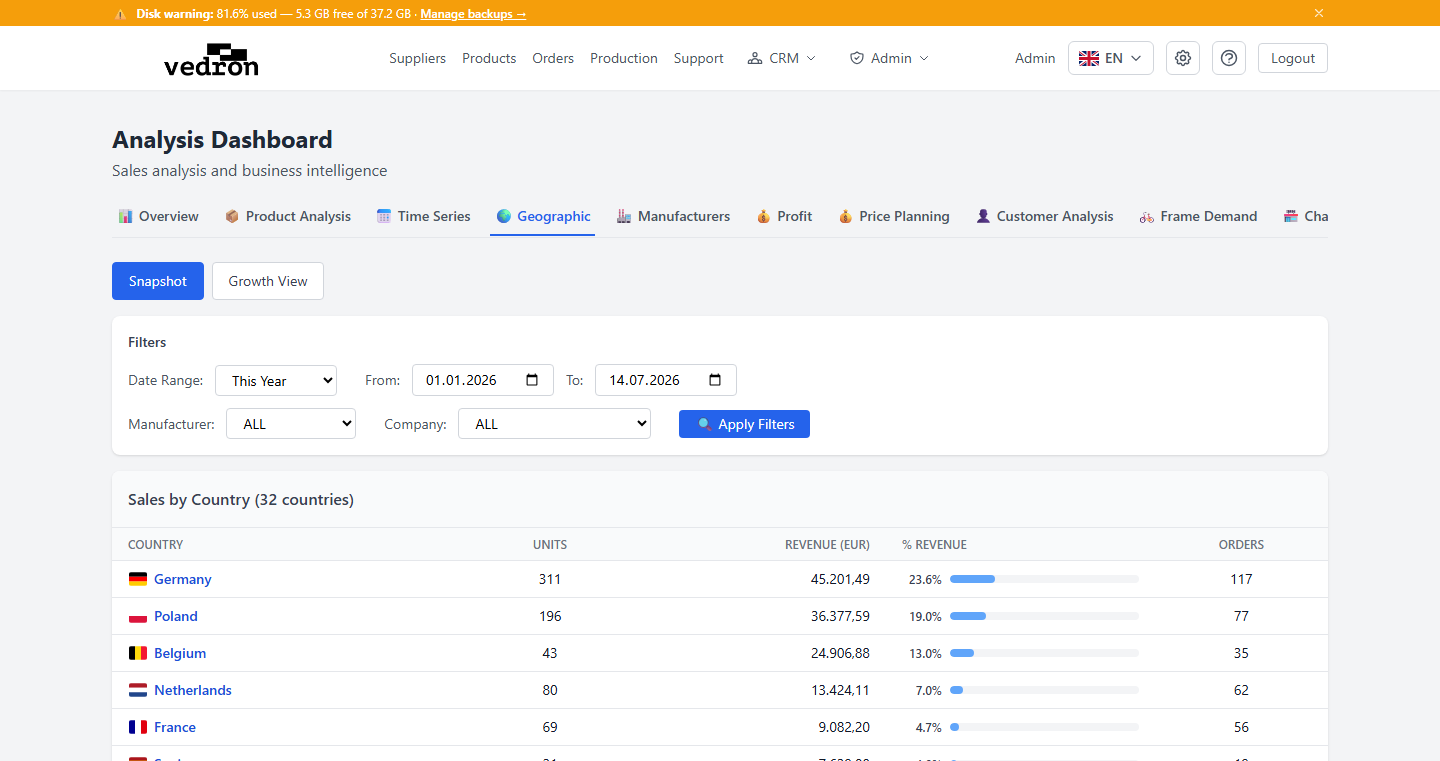
Snapshot View
A paginated table of countries with units sold, revenue, share of total revenue (shown as a bar), and number of orders — sorted from your biggest market down.
Growth View
Switch to Growth View to compare a country's performance year over year. Click any country to open a detailed breakdown of what changed within its product categories.
Tip: Use Growth View before expanding into a new market — it quickly shows whether an existing market is growing, flat, or declining.