

VedronERP · Analysis & Reports
此页面尚无中文版本,显示英文原文。
Geographic
The Geographic tab shows where your sales are coming from, broken down by country.
Accessing Geographic
- Go to the Analysis page and click the "Geographic" tab.
- Set a date range and, optionally, filter by manufacturer.
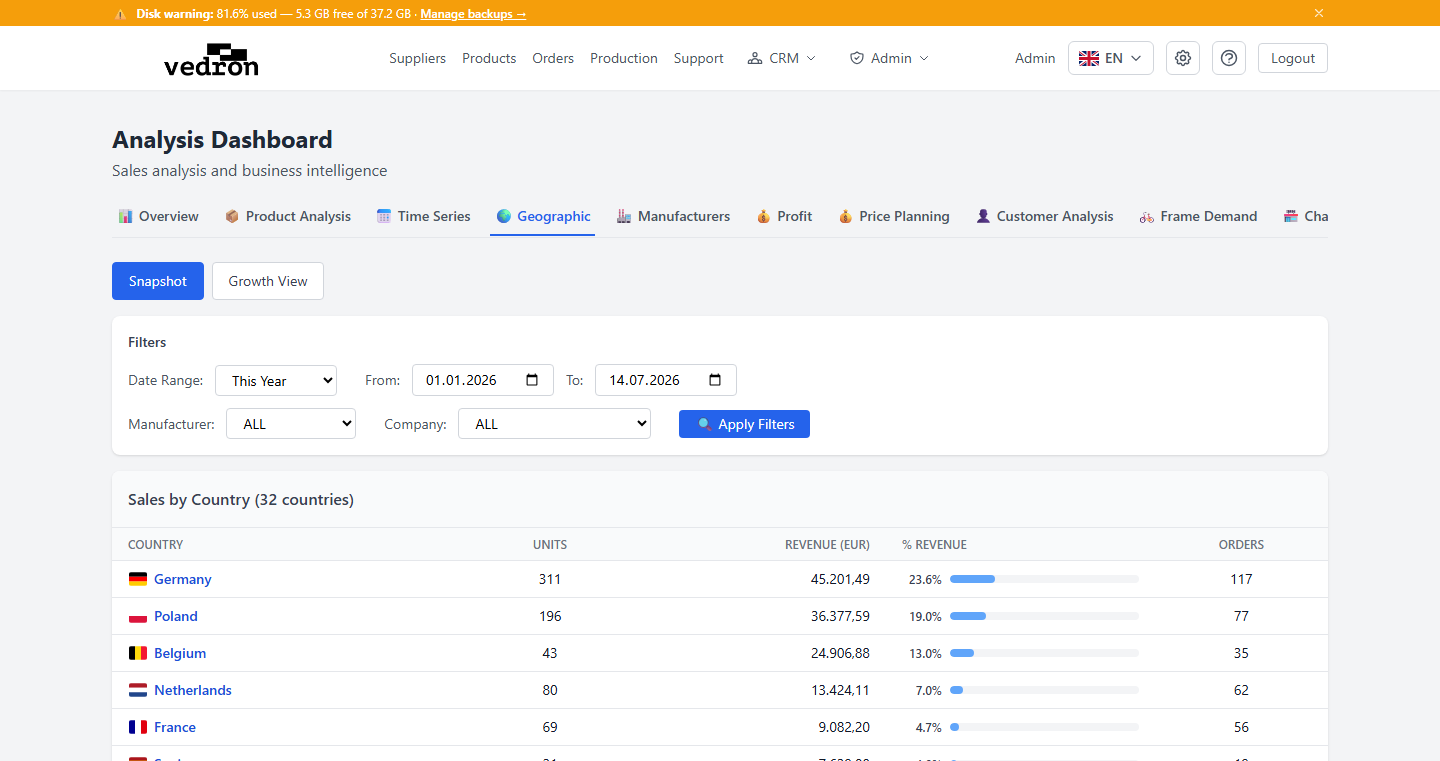
Snapshot View
A paginated table of countries with units sold, revenue, share of total revenue (shown as a bar), and number of orders — sorted from your biggest market down.
Growth View
Switch to Growth View to compare a country's performance year over year. Click any country to open a detailed breakdown of what changed within its product categories.
Tip: Use Growth View before expanding into a new market — it quickly shows whether an existing market is growing, flat, or declining.